
Your classes have been created in Google Classroom.
They are now available for you to populate and edit with assignments.
These classes all have Grading Periods and Assignment Topics pre-loaded from Veracross.
For Veracross integration to be successful:
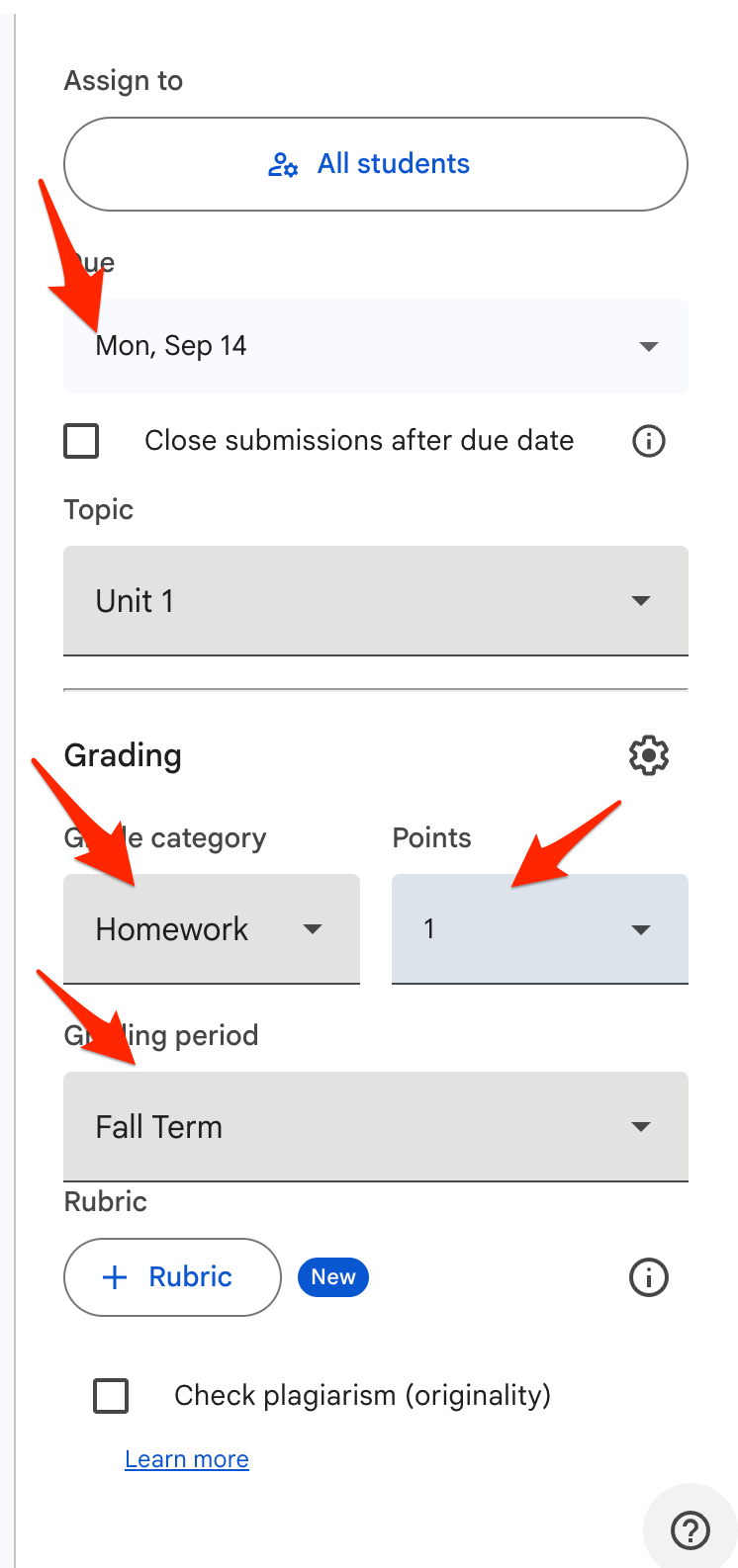
1. An Assignment must have the an Assignment Topic that agrees with Veracross, such as Homework, Quiz, etc.
2. Points cannot be "0" (but can be "ungraded").
3. The Assugnment must have a Due Date and Academic Term.
4. You must "Schedule" the assignment.
5. If those four items are completed, the assignment should show in Veracross. The systems sync every 10-20 minutes.
6. Check Veracross for that assignment and mark it as "Displayed" so that students can view it in their portals.
7. For assignment grades to sync, they must be marked as "Returned" in Google Classroom.
If you have existing assignments from past classrooms that you wish to reuse. You can do so by following these instructions:
1. Go to your new class.
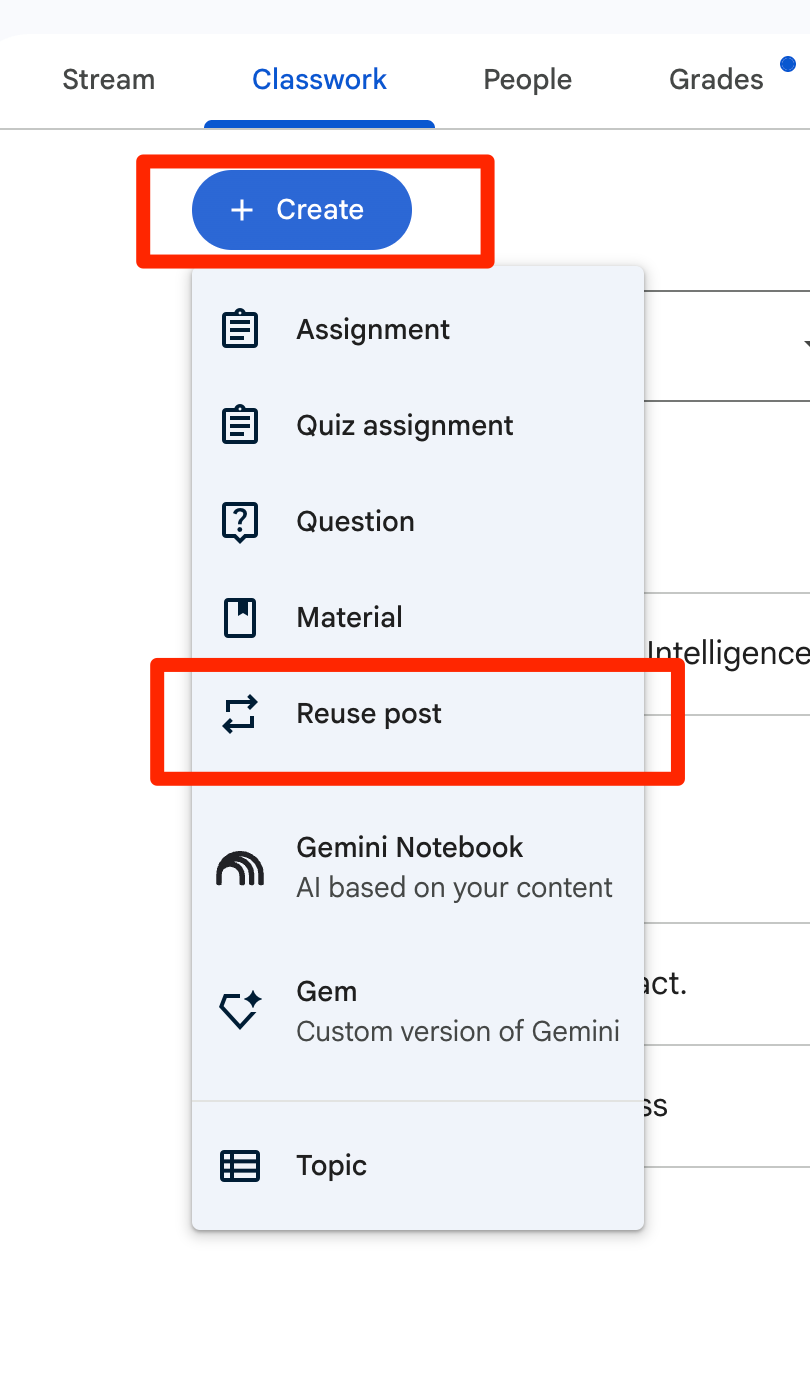
2. Click on Classwork -> Create -> Reuse Post
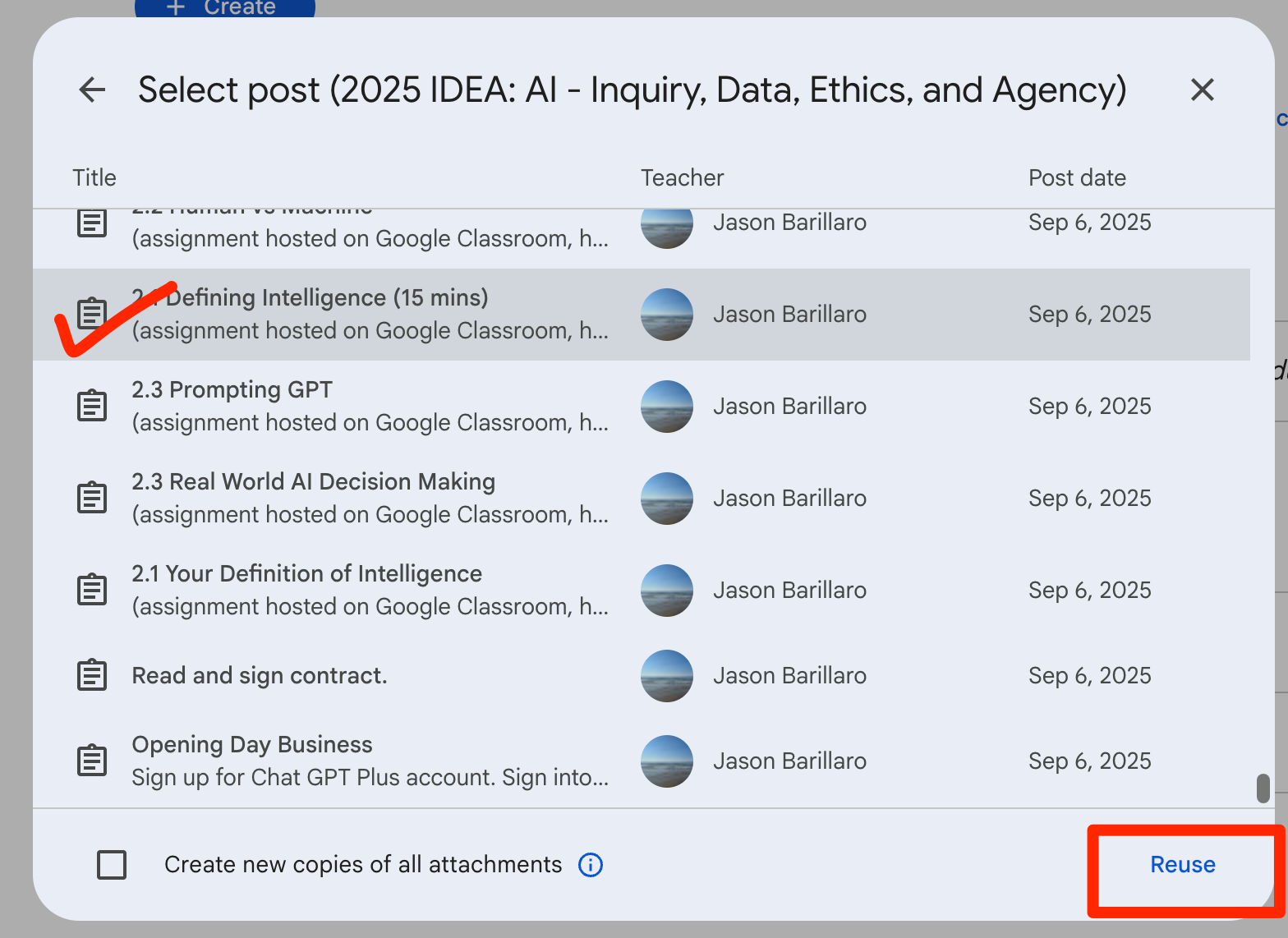
3. Find last year's class, scroll to the assignment assignment, click on it, then click on the "Reuse" button at the bottom.
4. Fill-in the required Topic, Term, and Due Date and Schedule the assignment.
If you need assignments used by a different teacher last year, please let me know and I can make those available for you.
If you are using Google Classroom for the first time. There are a many resources online, such as the videos hosted here.